native Metal renderer for macOS and iOS
Video:
https://streamable.com/r0hymj
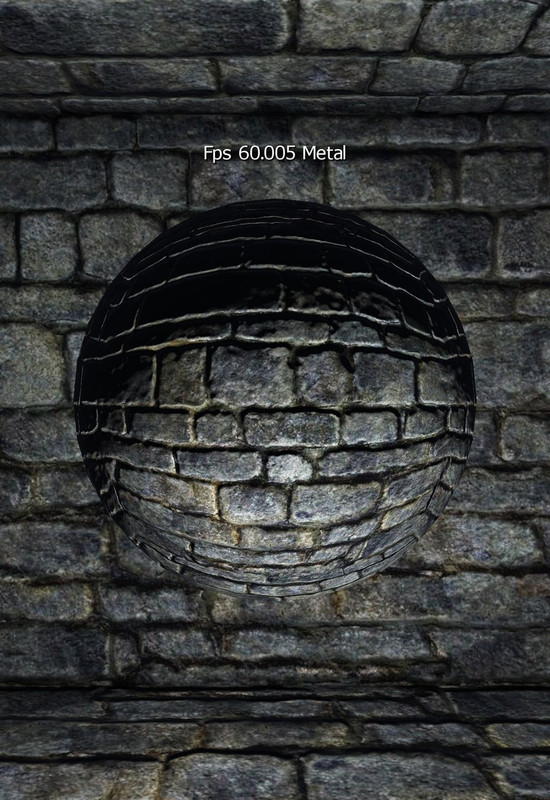


I've been working on a fork of Esenthel Engine, and it now has a native Metal renderer for macOS (Apple silicon) and iOS. It is not a translation layer like MoltenVK: the engine talks to Metal directly. It renders the same scenes as the Vulkan backend, runs most of the engine tutorials on a Mac, and runs a full game on an iPhone.
The game is Quest for Territory, an online fantasy RPG built on this fork. On Apple platforms it is in public alpha via TestFlight (iPhone and Mac) and as a notarized Mac download. Everything below is the engine itself; the game is just the biggest test case.
How it works
- No separate Metal shader sources. The engine's existing HLSL is compiled to SPIR-V as for Vulkan. The Mac/iOS build then translates the packaged SPIR-V to MSL (SPIRV-Cross) and compiles real Metal libraries with the Apple SDK into its own Engine.pak. One set of shader sources serves Windows, Linux, Android, macOS and iOS.
- Prepared pipelines. Shaders and pipeline states are prepared offline and loaded at startup, so there is no runtime shader compilation during normal frames.
- Same engine code everywhere. The renderer, materials, world streaming, physics, animation and UI are the shared engine code; only the GPU backend and platform layer are new (Engine/Source/Graphics/Metal, Platforms/Mac, Platforms/iOS).
- Tested properly, not just compiled. Each tutorial marked "verified" below passes its own check script with the Metal API and GPU validation layers on, in both Debug and Release, with captured frames compared rather than "it launched".
Platforms
- macOS 26+, Apple silicon (M1 and newer), native arm64, Retina. Intel Macs are not supported.
- iOS 26+, iPhone (arm64 devices and the arm64 Simulator). Touch input, safe areas, on-screen keyboard and app lifecycle (background/resume) are handled.
- Desktop development and all screenshots below: MacBook Pro, M1 Pro. Real-device iPhone: iPhone SE (2nd gen, 2020, A13 GPU, 3 GB RAM), which holds 60 fps in the game world.
What works on Metal
Renderer
- Deferred renderer with the engine's PBR materials, including bindless materials
- Cascaded shadow maps, local lights (point/spot), day/night lighting
- Physical sky (atmosphere with aerial perspective), astronomical objects
- Volumetric clouds (classic and the newer v2 GPU clouds with cloud shadows), object clouds
- Froxel volumetric fog, local fog volumes
- Ocean water, mirror water
- Dynamic GI (raster-captured irradiance probes) and world-scale GI
- Hardware tessellation and displacement (mapped onto Metal's compute-then-patch-draw model)
- Meshlets / cluster rendering and GPU grass through Metal 3 mesh shaders (falls back to classic drawing on GPUs without them)
- Compute shaders (72 of the engine's 82 compute techniques)
- Post effects: TAA and temporal super-resolution, depth of field, motion blur, bloom, GTAO, lens effects, FSR-style upscaling, cel shading, mesh outlines
- Native block-compressed textures: BC1-BC7 on the Mac, ASTC / ETC2 / EAC on iPhone (sampled directly, no CPU decompression)
- Render to texture, viewports, stencil, decals, particles, trails, 3D text, video playback
Everything else in the engine
- Animation: animation graphs, blending, root motion, two-bone and foot IK
- Physics: PhysX 4.1 (rigid bodies, joints, controllers, ray/sweep queries, ragdolls, vehicles, triggers)
- XPBD cloth with LOD
- World streaming, terrain, pathfinding, saving/loading
- RmlUi (HTML/CSS UI) alongside the engine's own GUI
- Audio (OpenAL), networking, HTTPS (Mbed TLS 4.1, TLS 1.3)
- Retina on the Mac; touch, safe areas and the on-screen keyboard on iOS
Tutorial coverage on macOS: 108 of the 216 tutorials are verified (Metal API and GPU validation on, Debug and Release), 1 fails (below), and the rest have not been checked one by one yet. That includes every Graphics, Animation, Physics, Mesh and RmlUi tutorial, and nearly every Rendering one.
What is not supported (yet, not used by my game so I haven't ported them)
- Hardware ray tracing: RT shadows, RT reflections and ray-traced GI are Vulkan-only. On Metal they are cleanly skipped.
- Virtual Shadow Maps and the local shadow cache: Vulkan-only. Metal uses regular cascaded shadow maps.
- Screen-space GI, adaptive GI probes and G-buffer relighting GI modes
- 10 of the 82 compute techniques; clustered froxel fog with more than 8 lights per cluster
- RmlUi clip masks, layers, filters and custom shaders (not bridged on any backend)
- Mesh shaders need a Metal 3 GPU: meshlets and GPU grass fall back or are skipped on older iPhones and in the iOS Simulator
- The Titan Editor is not ported to macOS. Content is still authored on Windows/Linux.
- Shader generation still happens on Linux. The Mac/iOS build only translates and compiles the packaged result.
- Intel Macs (Apple silicon only), and OS versions below macOS 26 / iOS 26
- Known issue: in the Destructible tutorial a thin fragment can escape the terrain (a physics/collision issue, not rendering)
Available in this fork:
https://github.com/DrewGilpin/EsenthelEngine
|